Opinion
Apple Watch Series 12 and Ultra 4 can now take notes on your conversations. That sentence is enough to start an argument, and the comparison people reach for is Meta’s Ray-Ban glasses: a wearable with a microphone, an AI assistant and a company that wants your data. Siri Recap arrived in the iOS 27.3 beta wave and is still a beta feature, so now is the time to separate what Apple says from what people assume.
The short version: some of the fears are wrong, one of them is fair, and the Ray-Ban comparison hides the real difference. Everything below about Siri Recap comes from Apple’s own support page. These are Apple’s claims. We have not tested the feature, and we cannot verify the hardware promises ourselves.
What Siri Recap actually is
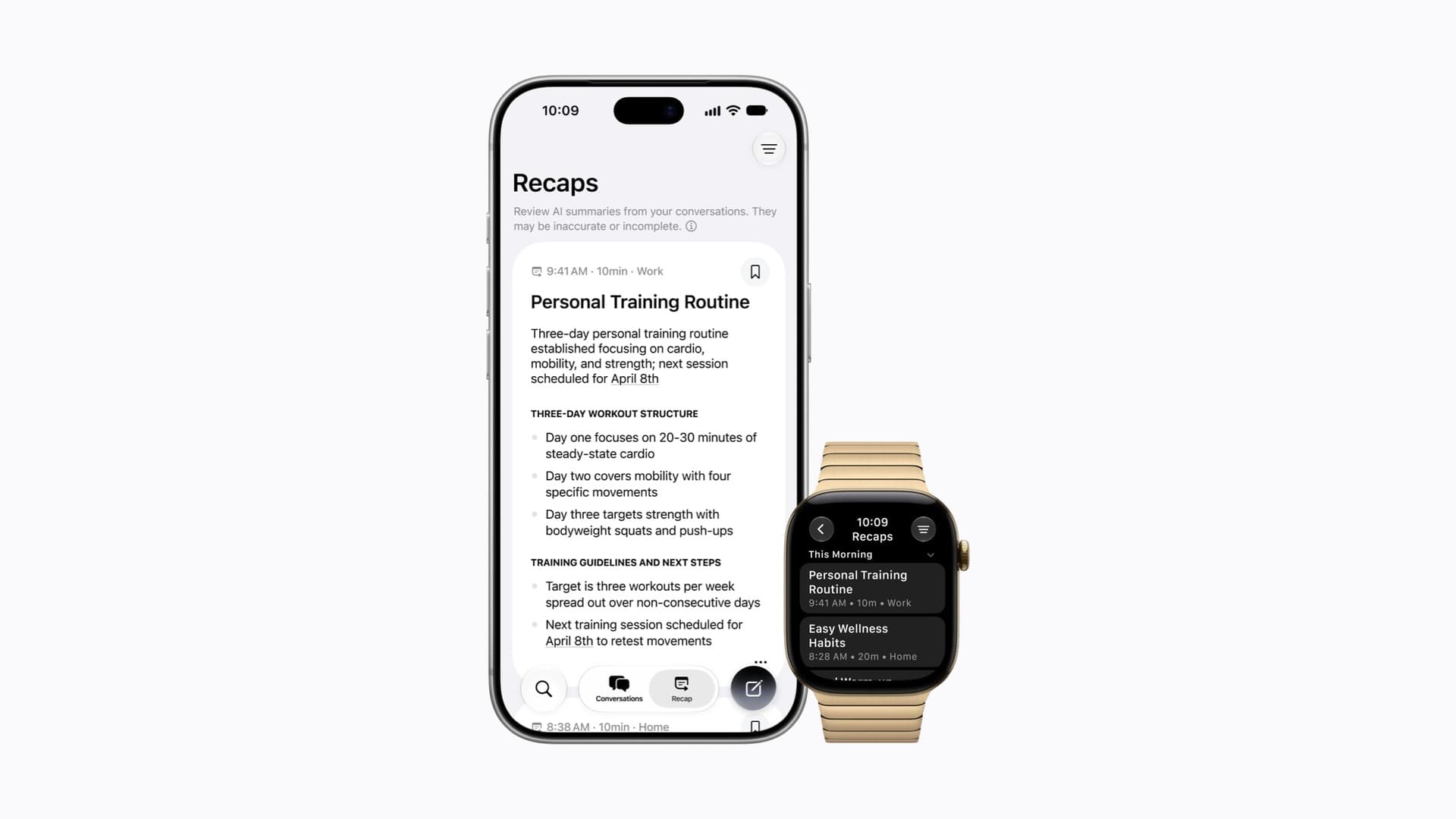
Siri Recap is one of four Audio Intelligence features on the new watches. According to Apple, it takes notes on your conversations through the day and turns them into a brief, high-level summary you can use later to jog your memory. It is not a transcript.
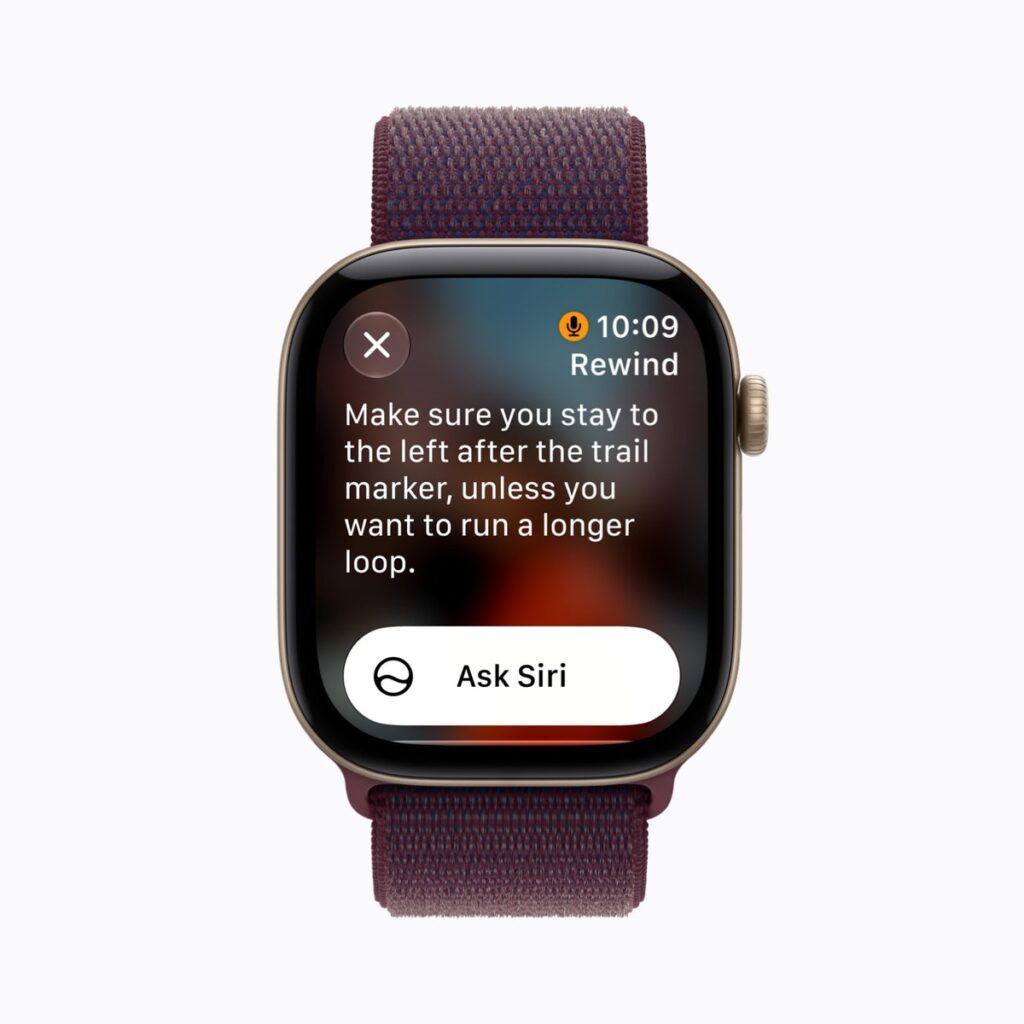
Imagine a consultant leaving a client meeting who wants the three decisions that were made without having typed a word. Or someone with ADHD or a poor memory for what was agreed in a hallway chat. Those are our examples, not Apple’s. But they show why the feature exists, and why the privacy question is not abstract: the benefit and the risk are the same thing, a watch that listens.
Myth 1: it records everything, all the time
What Apple says: audio is not recorded or stored. Apple says it flows into a protected buffer in the Secure Exclave of the S11 chip, is processed there and is then deleted. Apple adds that no recording exists to share, forward or hand over if anyone asks for it.
The fair part: the feature is ambient by design. Apple’s own wording is that it takes notes “ambiently throughout your day”. Nothing is stored as audio, but the watch is still listening while Recap is on. That is a real difference from a feature you trigger with a button.
Verdict: mostly a myth on storage, not a myth on listening.
Myth 2: your conversations end up on Apple’s servers
What Apple says: the final summary is produced by Apple Foundation Models running on Private Cloud Compute, where data is never stored or accessible to Apple. Saved summaries sync through iCloud end-to-end encrypted, and Apple says it does not hold the keys. Unsaved Recaps can auto-delete after up to seven days. You can view, edit, delete and export them in the Siri app.
What we cannot check: Apple invites independent security experts to verify Private Cloud Compute, and that is a stronger promise than most. But “trust us, and here is how to audit us” is still a promise. The summary also leaves the watch, which is the step most people do not expect.
Verdict: not “on Apple’s servers” in the usual sense, but not “never leaves your wrist” either.
Myth 3: it is the same as Meta’s Ray-Ban glasses
This is where the comparison gets interesting, because the two are not the same kind of device. Meta’s voice privacy notice says its AI glasses respond to a wake word such as “Hey Meta”, process recordings of your voice into transcripts, and let you choose whether recordings are stored to improve Meta’s products. If storage is on, Meta says trained reviewers may listen, and recordings from accidental activations can be stored too. The glasses also have a camera, with an LED that Meta says is meant to show other people when you capture photos or video. Meta’s wording differs by country, so check your own region.
Siri Recap has no camera, and Apple says it stores no audio. But the Ray-Ban glasses wait for you to speak to them. Recap does not wait. Apple’s answer to bystanders is design rather than a light: it does not attribute speakers, it focuses on the conversation most audible to you, and it pauses when you are on a call or when AirPods have Active Noise Cancellation on. Apple also says summaries are meant to omit sensitive information such as financial data and government identifiers.
Verdict: different risks, not a safer one and a worse one. Meta’s risk is a camera and stored voice data. Apple’s is a microphone that is on by schedule rather than on request.
Myth 4: you cannot turn it off
What Apple says: every Audio Intelligence feature is opt-in. Siri Recap can run on a schedule based on time or location (“only at work”, “never at night”) or be switched on and off manually, and you can always toggle it from Control Centre. The watch tells you when Recap starts or stops.
Verdict: a myth, at least on paper. Opt-in is only as good as the setup screen, and we have not seen how pushy it is.
The part that is not a myth
Apple’s own page tells you to “be mindful of those around you”, because audio is not stored but conversations may still be private. That is the honest centre of this debate. If you are wearing a watch that summarises the conversation most audible to you, the people talking to you have not opted in. If the summary contains a name, as Apple says it can, the privacy of the person who said it is now in your Siri app. Apple’s design reduces the harm. It does not remove the question of consent.
Our view
Siri Recap is not Ray-Ban listening by another name, and it is not harmless either. Apple has built a careful system and then asked people to trust it, which is the same ask every company makes. What makes the difference is the architecture: audio that is processed and thrown away, a cloud that Apple says it cannot read, and settings that you control. If those claims hold up under outside scrutiny, Recap sets a better standard than most. If they do not, the damage will land on the first feature that quietly listens all day.
We will update this piece when independent reviewers have used the feature and when Apple says which countries get it. Until then, treat the claims above as claims.